If AI were a book, the flashy hype-filled intro is already behind us. Now we’re in a more grounded chapter, where things start to make sense, and real progress begins. Across industries, we’re seeing real adoption, measurable value, and rapid evolution. In 2026, AI trends will play an even bigger role as companies move from testing ideas to scaling real solutions.
According to McKinsey, more than 75% of organizations already use AI in at least one business function. What’s more, the use of generative AI is accelerating faster than any previous technology wave. From the latest AI advancements in automation to emerging agent-based systems, businesses are paying close attention to what’s new in AI and how to make it work in practice.
I’m Oleh Komenchuk, an ML Department Lead at Uptech. Together with my team, I’ve outlined the top 8 AI trends for 2026 that we believe will have a huge impact on the future of business and technology, and show where the real value lies.
Let’s dive in.
AI Trend 1: Agentic AI and Autonomous Workflows
Over the past few years, we at Uptech have helped many small to mid-sized businesses build custom AI tools and modernize their workflows using this technology. But what started in 2025 carries into 2026 and keeps pushing things forward.
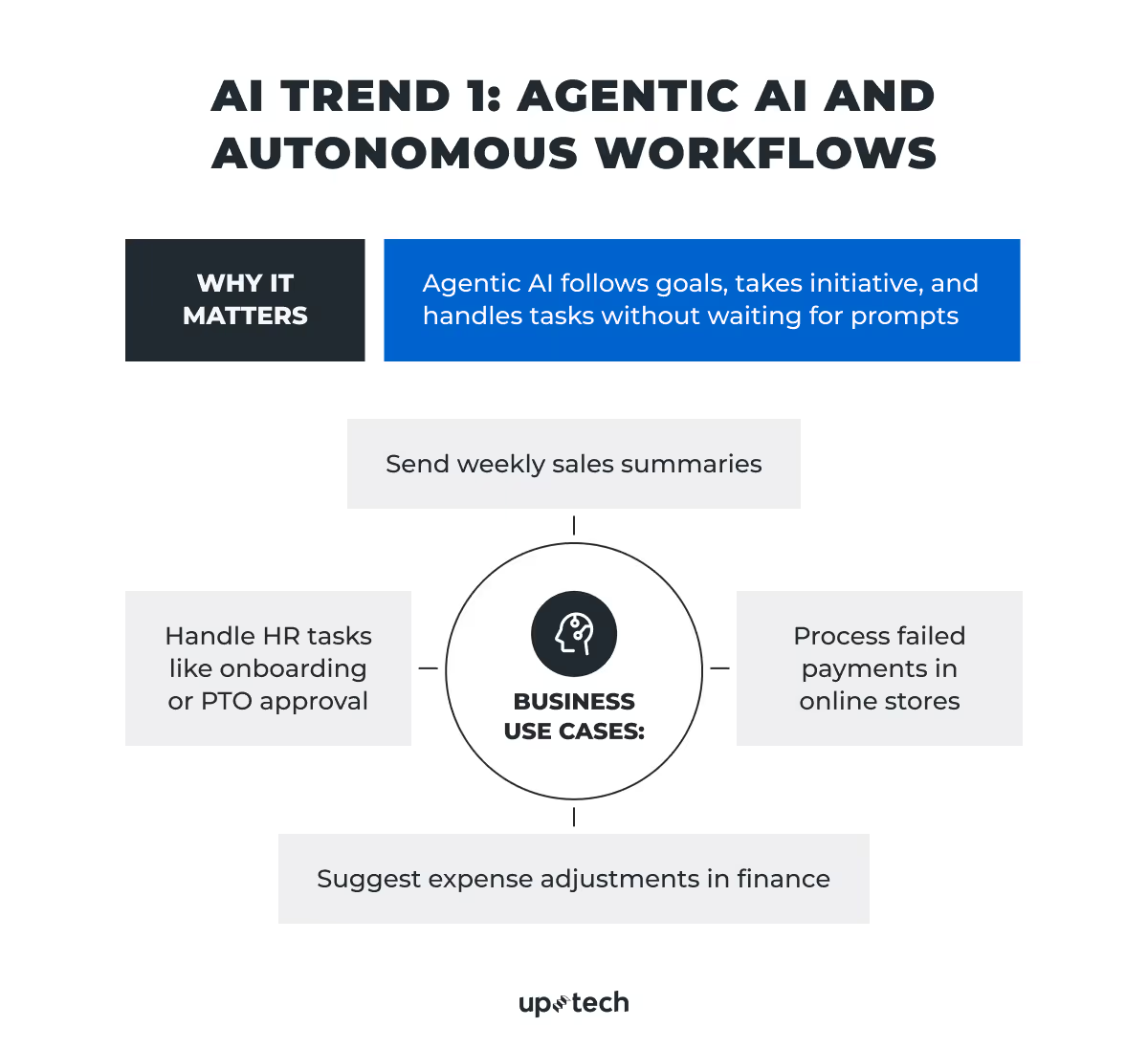
Agentic AI encompasses AI systems that don’t wait for your next prompt. They act with a goal in mind, carry out tasks independently, and make decisions on the fly.
Unlike traditional chatbots or smart assistants, AI agents can break a complex task into smaller steps, choose the best way to execute each one, and adjust if things change along the way. Think of them less like calculators and more like junior employees who take initiative. With some limits, of course.
Agentic AI business use cases
Enterprise tools
In case you haven’t heard of it, Microsoft has already brought agent-like features into its 365 Copilot. The latter helps employees across 70% of Fortune 500 companies summarize meetings, find documents, and complete daily admin tasks. But this tech giant isn’t the only one in this.
Software engineering
For example, Auto-GPT and OpenDevin showed the world the capabilities of open-source agent frameworks. The tools allow ML and AI developers to create goal-driven agents that plan and act according to business requirements.
One more strong example is Codex, a cloud-based software engineering agent powered by OpenAI. It can fix bugs, refactor code, review pull requests, and update features based on user feedback. On top of that, Codex allows engineers to delegate routine coding tasks to an AI agent that understands real-world software development workflows.
Adept’s ACT-1 is being trained to use every real-world software, an API, or a webapp that exists as a human would. It can click buttons, read web pages, and use tools to complete tasks.
Multimodal assistants
Google’s Project Astra is a research prototype that aims to build agents that observe and respond across voice, video, and text. It’s almost like a real-time co-pilot for your entire workflow.
Another project called Rabbit R1 is an early consumer experiment that brings agentic AI into daily life. It’s in beta and is available to everyone who wants to try AI agents on the go.
It’s just the tip of the iceberg, as pretty much everyone’s working on agents. And everyone’s betting this is what the future of AI will look like.
Let’s get specific. How do businesses use agentic AI today, and, more importantly, where is it heading?
Today’s use cases
HR and IT. Agents help onboard employees, reset passwords, schedule meetings, or process PTO requests.
Customer support. AI agents handle common queries, follow up on tickets, or route cases to the right person.
Internal analytics. Instead of pulling reports, an agent can track sales trends and send summaries every Monday morning.
Near-future use cases
Finance teams. An agent could monitor expenses, flag irregularities, or suggest budget changes.
Marketing. Campaign agents could generate content drafts, A/B test ideas, and push approved creatives live.
E-commerce. AI agents may handle end-to-end order recovery, from alerting the customer about a failed payment to re-processing it once fixed.
The goal is to let agents handle repetitive or low-risk tasks, so your people can focus on what really matters, such as strategy, relationships, and big decisions.
Why Agentic AI is trending and what’s holding it back
So why is everyone talking about this? Because it’s the most obvious next step. Generative AI gave us large language models (LLMs) that understand and generate text. Agentic AI gives those models tools and memory so they can act with purpose.
But here’s the catch: It’s not perfect yet.
- Agents lack reliability. Many still fail on longer tasks or make small mistakes. For example, such a tool may still click the wrong button or misunderstand a prompt.
- They need better memory. Agents often forget what they’ve already done or lose track of context across steps.
- Security and oversight are must-haves. No one wants an AI to accidentally send the wrong invoice or delete a client record.
The good news, these problems are being tackled.
- The latest large language models like OpenAI’s GPT-5.4 and Google Gemini 3.1 already show improved long-term memory and task planning, which supports more stable multi-step execution.
- Agent frameworks like Microsoft’s Copilot Studio and LangChain give businesses more control, customization, and monitoring.
- AI teams, like ours at Uptech, design agents with clear boundaries and human checkpoints so businesses can build trust as they adopt this tech.
We see 2025 as the year when agentic AI moves from exciting demos to real deployments. It may start small with things like internal tools and structured tasks, but it’s coming fast.
Our advice: Start now. Experiment where the risk is low but the value is real (e.g., internal operations, reporting, HR tools). Since we build these systems for clients across industries, we know how to scale them responsibly.
It’s also worth noting that agentic AI isn’t here to replace your team, but complement it.

AI Trend 2: Multimodal AI Models As a New Standard
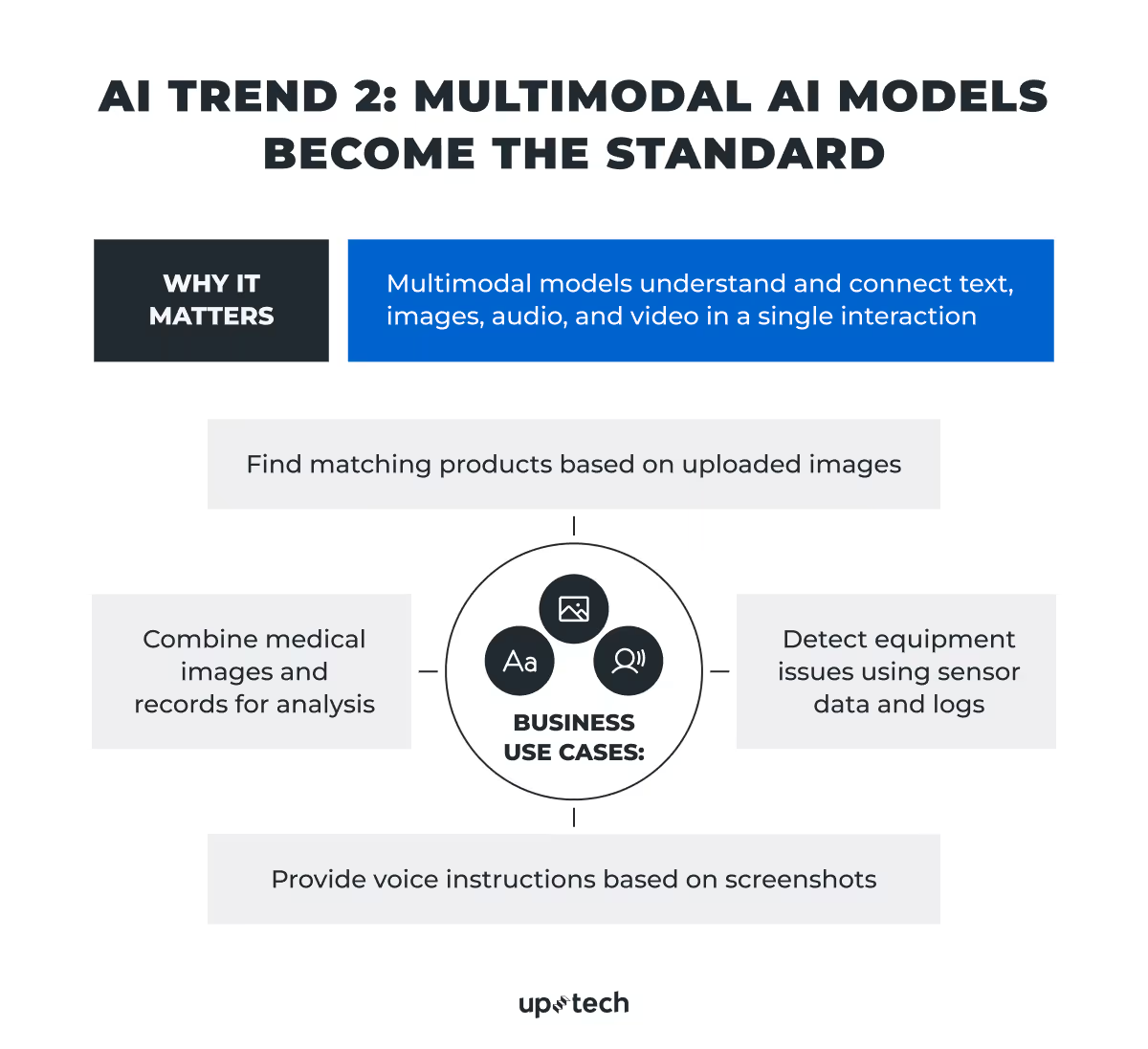
Most AI models used to be single-modal. That said, they have been trained to handle just one type of input, usually text. However, the change is here. In 2025, multimodal models that understand and combine different data types, like text, images, video, and audio, are becoming the new standard.
Recent models like GPT-5.4 and Gemini 3 Flash show what’s now possible. These systems can look at a photo, listen to a voice note, and interpret text, all in one interaction. They integrate different modes and can create responses that take full context into account.
It will be safe to say that multimodal AI is a shift in how people will interact with software. It brings us closer to natural, flexible human-machine communication.
Multimodal AI enables systems to understand the world more like humans do: in layers of sensory input, not isolated channels.
Possible use cases
Of course, this helps companies like ours bring more powerful use cases across industries:
Healthcare. Multimodal AI can power software that analyzes radiology images, combines them with electronic health records (EHRs), and explains findings in plain language.
Retail and e-commerce. We may see advances like visual search engines where users upload photos of products, and the system returns matching inventory with spoken or written suggestions.
Manufacturing. Systems may analyze visual data from equipment, match it with text-based maintenance logs, and predict potential failures.
Customer support. Here, we want to mention multimodal agents that handle written questions, interpret screenshots or product photos, and respond with audio instructions.
These models are still in development, but their foundations are solid. Improvements in architecture, data alignment, and memory are making them faster, more accurate, and more cost-efficient.
The real challenge is to figure out where multimodal interaction truly adds value. In addition to that, how to design experiences that make use of it without overwhelming users.
In 2026, we’ll likely see a growing number of products that use multimodal models quietly in the background: translating input, improving context, and guiding actions. The most successful use cases will be the ones that solve a real user pain point while making the interaction feel more natural.
AI Trend 3: Reasoning-Centric AI Models
One of the most exciting moves in AI right now is the rise of models that can reason, not just respond. In 2026, this trend will continue to strengthen its position.
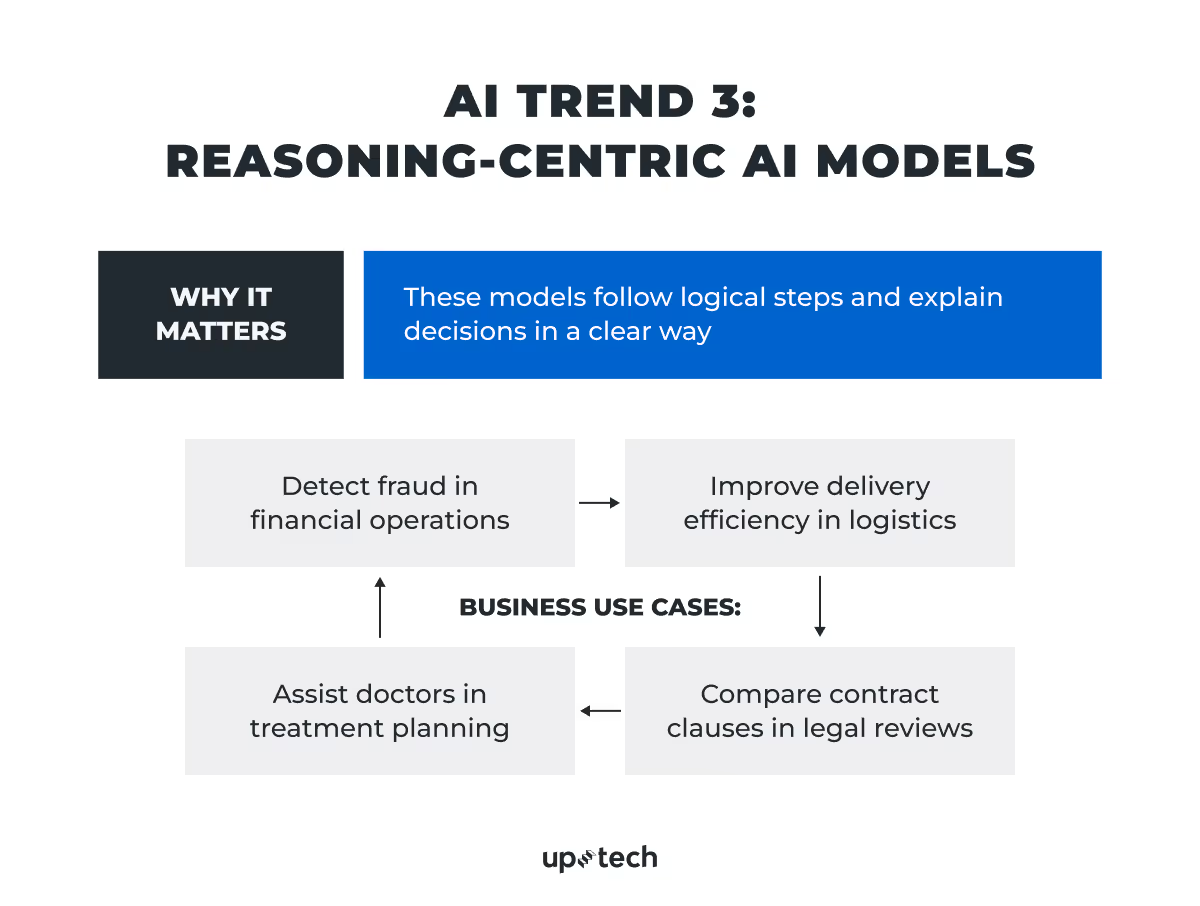
Until recently, language models, while they could generate fluent text with flying colors, struggled with logic-heavy or multistep tasks. That’s changing fast. Models like Anthropic’s Claude Opus 4.6 can now solve more complex problems step-by-step, including coding and reasoning, much like a human expert would. They follow logical chains of thought, compare different options, and explain how they concluded.
Possible use cases
Why does this matter for businesses?
This development matters because it opens the door to real use in high-stakes, detail-driven environments. For example:
Finance. AI can analyze market data and spot unusual patterns in transactions. It can support compliance checks and explain financial forecasts in a clear way. It also helps with fraud detection early by flagging suspicious behavior across large volumes of data.
Logistics. Here, AI helps teams plan routes more efficiently and react faster when things go off track. It can flag potential delays, suggest alternative shipping options, and adjust procurement plans based on real inventory levels and supply chain disruptions.
Healthcare. Tools powered by AI support clinicians in their daily work rather than replacing them. It can review clinical notes, highlight important details, suggest possible diagnoses, and help structure treatment plans, which makes decision-making faster and more informed.
At the same time, recent progress in reasoning models also depends heavily on how models are trained and what data they see.
Microsoft’s Phi models are a good example. The company’s curated high-quality training data focused on reasoning tasks, even smaller models like Phi-2 show strong logical capabilities without requiring massive hardware. This shift proves that better data (not just more data) is a must to build models that can reason reliably in real-world use cases.
Another important milestone comes from Orca and Orca 2, which use synthetic data in post-training to teach smaller models how to perform complex, multistep reasoning. These techniques help models tackle tasks such as the comparison of inputs, breaking down problems, and making conclusions.
These advances point to a broader shift: to improve AI reasoning, it’s not enough to scale up. The key is to train models to think more systematically. That’s what will enable businesses to trust AI in roles where accuracy, logic, and step-by-step analysis matter.
We believe that, in 2026, companies that work with curated or synthetic data to train their own smaller, specialized models will likely see better performance in targeted reasoning tasks, without the cost or complexity of deploying frontier-scale systems.
AI Trend 4: Model Context Protocol Reshapes AI Interactions
First things first, let’s deal with the term.
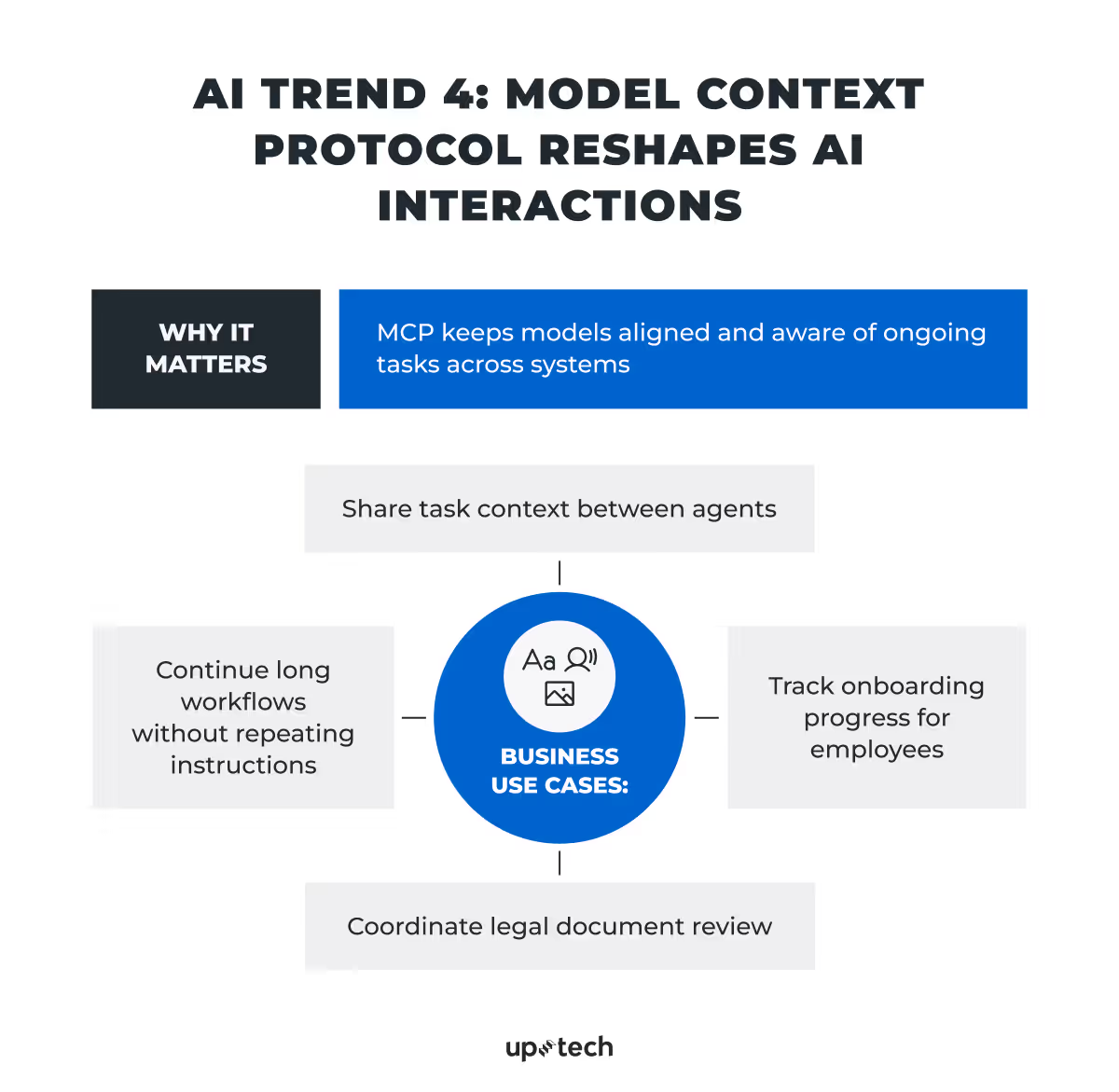
Originally developed by Anthropic, Model Context Protocol (MCP) is an open standard that gives AI agents a consistent way to connect with external systems, whether internal tools, databases, or third-party APIs. You can think of it as a USB-C for AI: it standardizes how language models plug into different resources.
Most AI models today operate in isolation. They take a prompt, return a response, and start over with every interaction. MCP changes that. It provides structure and memory, so models can follow multi-step workflows, access up-to-date information, and work more like software agents than passive responders.
Instead of writing custom code for every tool an agent needs, teams can use MCP’s growing set of integrations to give their models access to file systems, terminals, spreadsheets, APIs, and more. The architecture separates hosts (the AI app) from servers (the tools or data sources). As such, it makes the whole system more modular and scalable.
How MCP works: Key components
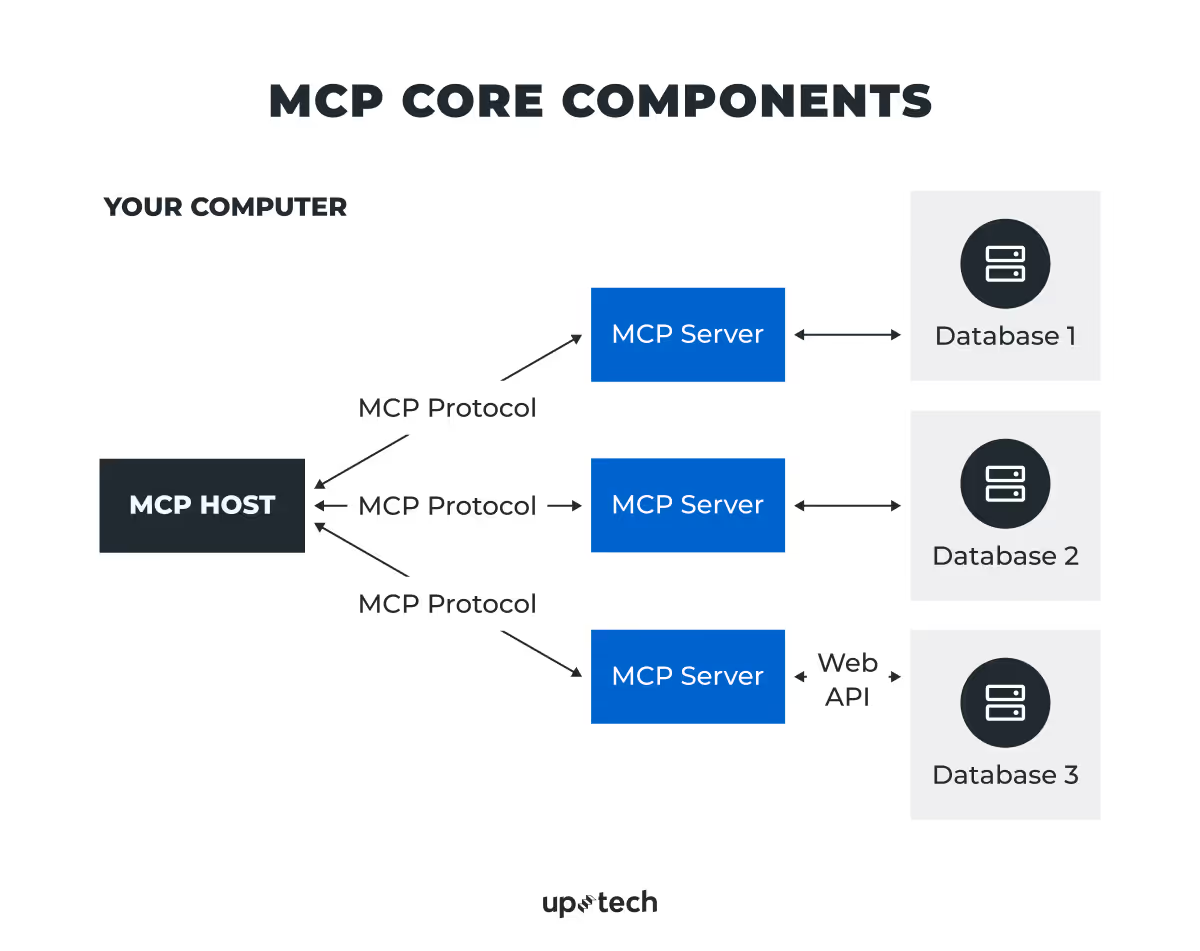
To understand how MCP functions, here’s a breakdown of the main building blocks:
- MCP host. The AI-powered app or interface, such as Claude Desktop or an IDE, that drives the interaction. This is where the agent lives.
- MCP server. A lightweight program that exposes a specific capability, such as access to a file system, terminal, API, or database.
- MCP client. This is the bridge that connects the host to multiple servers and helps route requests.
- Local data sources. Files, folders, and databases on your machine or internal network that MCP servers can securely access.
- Remote services. These can be external APIs or cloud-based tools that MCP can query to retrieve or send data.
Together, these components form a plug-and-play system. Agents can send structured requests to any MCP-compatible server, retrieve the necessary information, and complete multi-step tasks, without needing to understand the internal details of each tool.
Real-world adoption
MCP is already seeing real uses in production, namely:
- Apollo gives AI access to structured business data
- Replit allows agents to read and write code across projects
- Sourcegraph and Codeium integrate it into software development workflows
- Microsoft Copilot Studio added MCP support to help non-developers connect AI to tools with no extra coding
- Block connects its internal tools and knowledge sources to agents
For businesses, MCP is the way to make AI development that goes beyond content generation easier. It allows teams to create agents that complete tasks, retrieve information, and interact with live data, without rebuilding everything from scratch.
In 2026, MCP and similar protocols are expected to become a foundation for building enterprise-grade AI systems that require consistency, reliability, and coordination across multiple tools or model components.
AI Trend 5: RAG Improves AI Accuracy
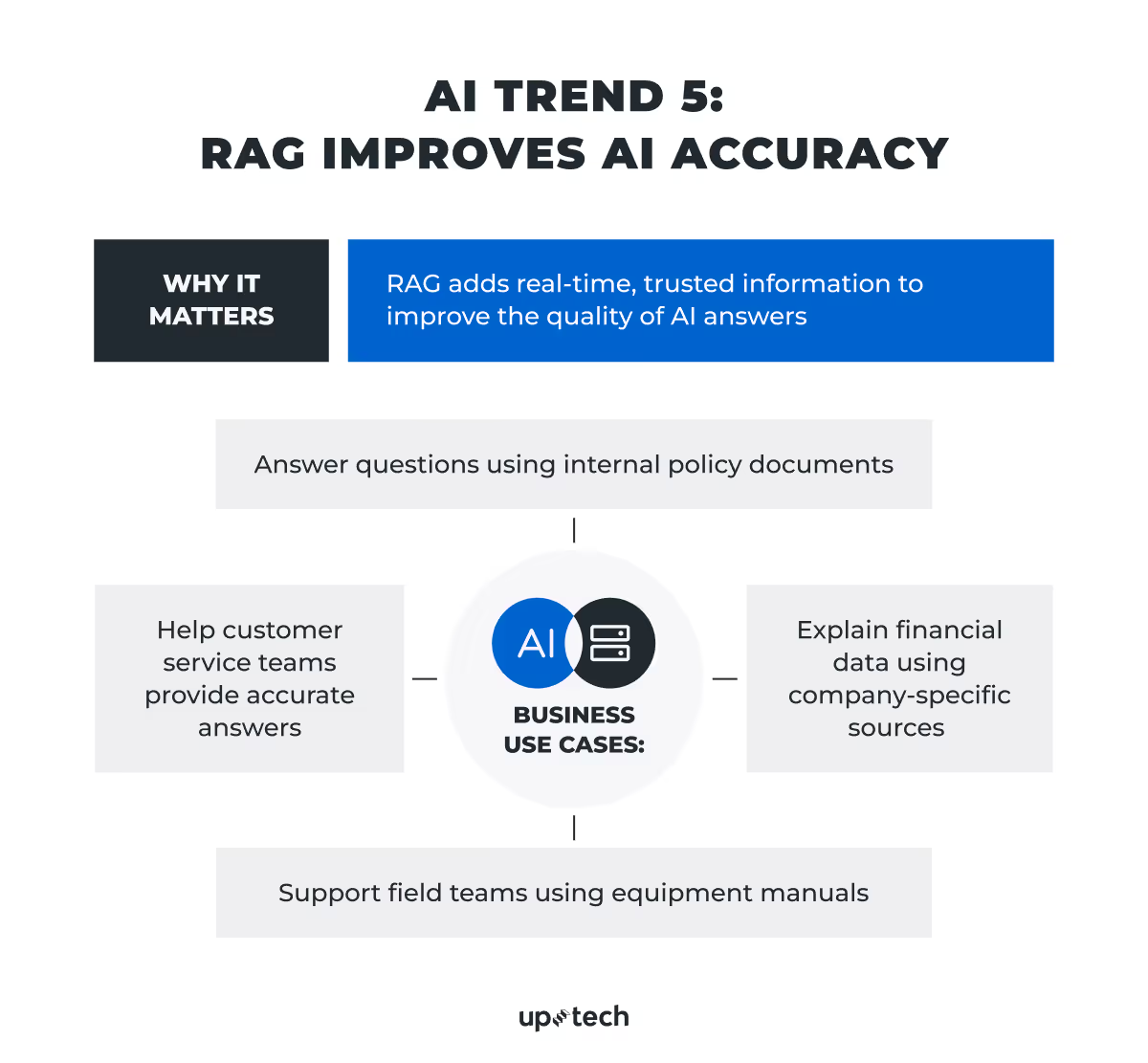
Retrieval-Augmented Generation (RAG) is a technique that allows language models to access external, trusted data sources before generating responses. The model doesn’t simply rely on what it “remembers” from its original training data. Instead, RAG enables it to pull in accurate, current, and domain-specific information on the fly.
This approach solves a well-known issue with large language models, which you have probably encountered: they sound confident, but they often produce outdated, vague, or incorrect answers, especially when asked about specific, recent, or internal topics.
RAG works in two steps. First, it indexes documents from a knowledge base, like internal policies, technical manuals, or product documentation, using vector embeddings. Then, when a user asks a question, the system retrieves the most relevant chunks of information and feeds them into the model to generate a grounded, more accurate answer.
This method brings major advantages for business:
- In finance, teams can ask about updated regulations or historical trends and receive answers backed by internal compliance documents or proprietary reports.
- In logistics, staff can retrieve shipping policies, warehouse data, or supplier information without searching manually.
- In customer support, agents or AI chatbots can access up-to-date knowledge bases to provide consistent, context-aware answers.
By the way, we have an article with the top RAG use cases and business benefits. Make sure to check it out, too.
RAG reduces the need to retrain models every time the data changes. It also gives organizations more control over what their AI says, which improves trust, compliance, and accuracy.
At Uptech, we see RAG as one of the major generative AI trends as it connects the strength of generative models with the reliability of verified data, and makes AI more useful, especially where accuracy matters most.
That’s why we expect RAG to become a key strategy for companies that want to integrate AI into workflows without handing over control to a black-box system.
AI Trend 6: AI Moves from Cloud to Device
Cloud has been the norm for years. It made high-performance AI accessible, but also introduced real trade-offs around latency, cost, and privacy. That’s why the move toward on-device AI is one of the latest developments in AI and most meaningful hardware-driven trends in 2025-2026
This change is no longer theoretical. It’s happening.
There have been launches of Snapdragon X Elite, Microsoft’s Copilot+ PC line, and Apple Intelligence. Since then, this direction has continued into 2026, with more devices built around on-device AI capabilities. AI workloads are now running directly on laptops and mobile devices. These devices ship with integrated NPUs (Neural Processing Units) that can run language models with over 13 billion parameters and generate responses in real time, all without touching the cloud.
Alongside Snapdragon X Elite, newer AMD Ryzen AI and Intel Core Ultra chips are moving this space forward, so on-device AI is starting to feel like a normal feature rather than something niche.
Snapdragon X Elite, for instance, delivers up to 30 tokens per second when it generates text locally. Its dual Micro NPUs in the Qualcomm® Sensing Hub handle always-on background tasks like intelligent wake, biometric login, and data protection, with user information being kept on the device.
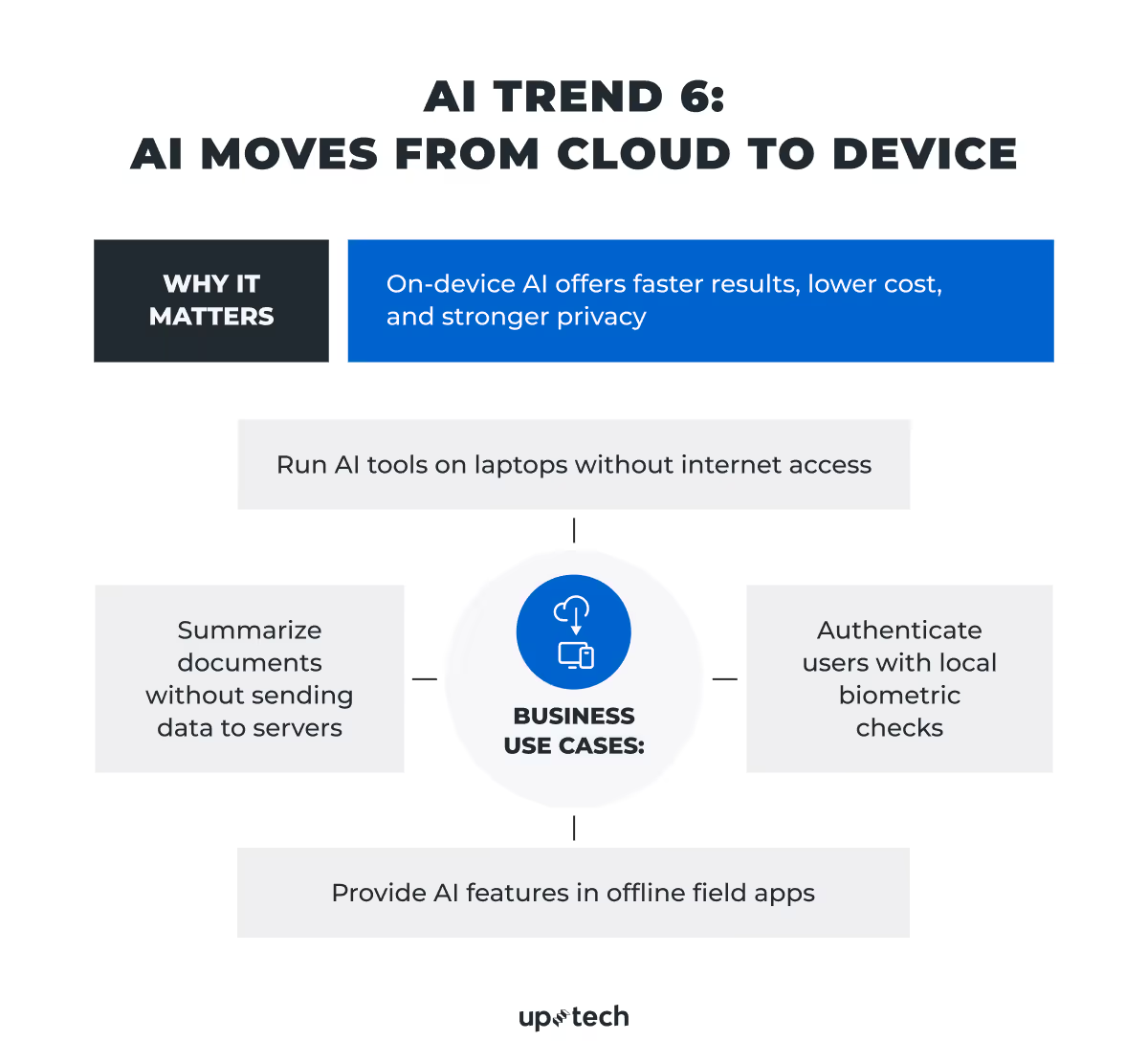
The implications are faster interaction, lower cost, and better data security.
Business use cases
In many use cases, on-device AI is simply more practical.
Enterprise devices can support productivity assistants and copilots that run locally, even offline. Employees can review documents, draft emails, or search files while traveling or working in secure environments without internet access.
Privacy-sensitive tools in finance, healthcare, and legal tech can process data without sending it to external servers. A doctor can review patient notes. A legal team can analyze contracts. Sensitive data stays local.
Industrial and fieldwork applications benefit from real-time insights without the need to constantly access the internet. Technicians can diagnose equipment on-site. Logistics teams can update delivery data in areas with poor connectivity.
There’s also a financial angle. Running inference in the cloud for millions of users comes with infrastructure costs that scale poorly. On-device solutions reduce those costs.
This doesn’t mean the cloud disappears. Instead, we’re moving toward hybrid AI systems, where lightweight models handle immediate tasks on-device, with more complex reasoning being offloaded when needed.
For businesses that want to integrate generative AI into their products, this means new choices: which tasks to keep local, which to send to the cloud, and how to architect systems that balance speed, accuracy, and cost.
AI Trend 7: Compact Models Become a Practical Business Choice
For a while, the AI conversation has been dominated by ever-larger models: GPT-5, Gemini 3 Pro, Claude Opus 4.6, to name a few. But as adoption grows, so does the demand for models that are smaller, faster, and easier to deploy. This trend has only strengthened in 2026, as more teams move from experimentation to production.
Let’s be honest, not every company has Google-level resources to build generative AI models on the scale of Gemini. That’s why compact language models are a preferred option in many real-world applications, especially where infrastructure is limited or speed matters.
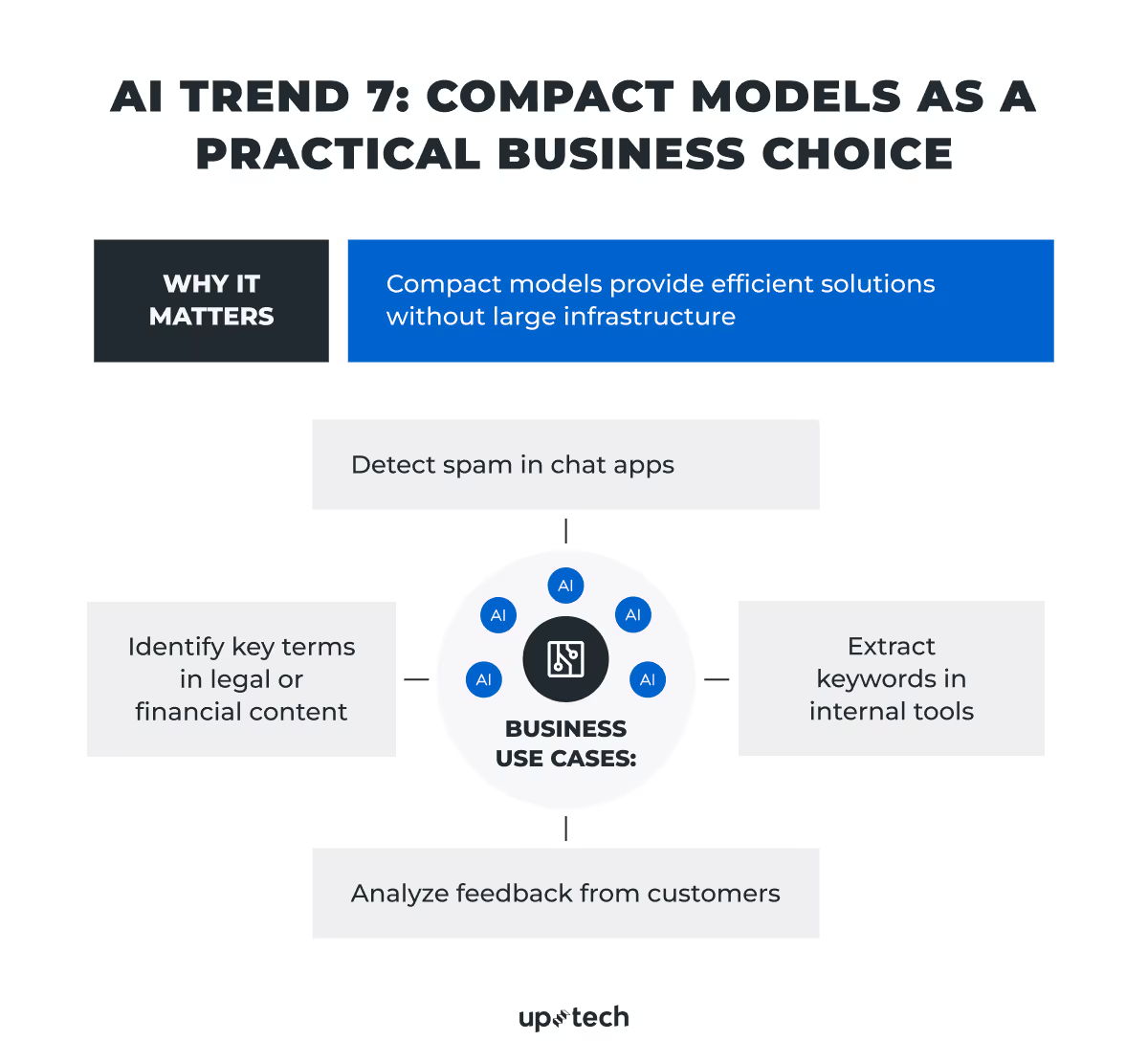
These small language models (SLMs) are designed to solve specific tasks without the complexity or cost of full-scale LLMs. They run faster, require fewer resources, and in many cases offer comparable performance, particularly when fine-tuned for a narrow domain. They also fit well into on-device and edge AI setups, where running models locally is now a common requirement.
We’re seeing growing interest in models like Phi-3.5-mini, Mistral 7B, and Llama 3 8B, which are used in applications such as:
- Spam filtering in messaging apps
- Keyword extraction in content management systems
- Entity recognition in legal or financial documents
- Sentiment analysis in customer feedback loops
Unlike frontier models, these compact alternatives can be deployed on edge devices or embedded directly into existing platforms. This makes them well-suited for industries with strong privacy constraints or where latency and reliability are critical.
This doesn’t mean small models replace everything. In many systems, they complement larger models and handle simpler tasks locally while offloading complex reasoning to the cloud.
AI Trend 8: LLMOps Becomes a Practical Need
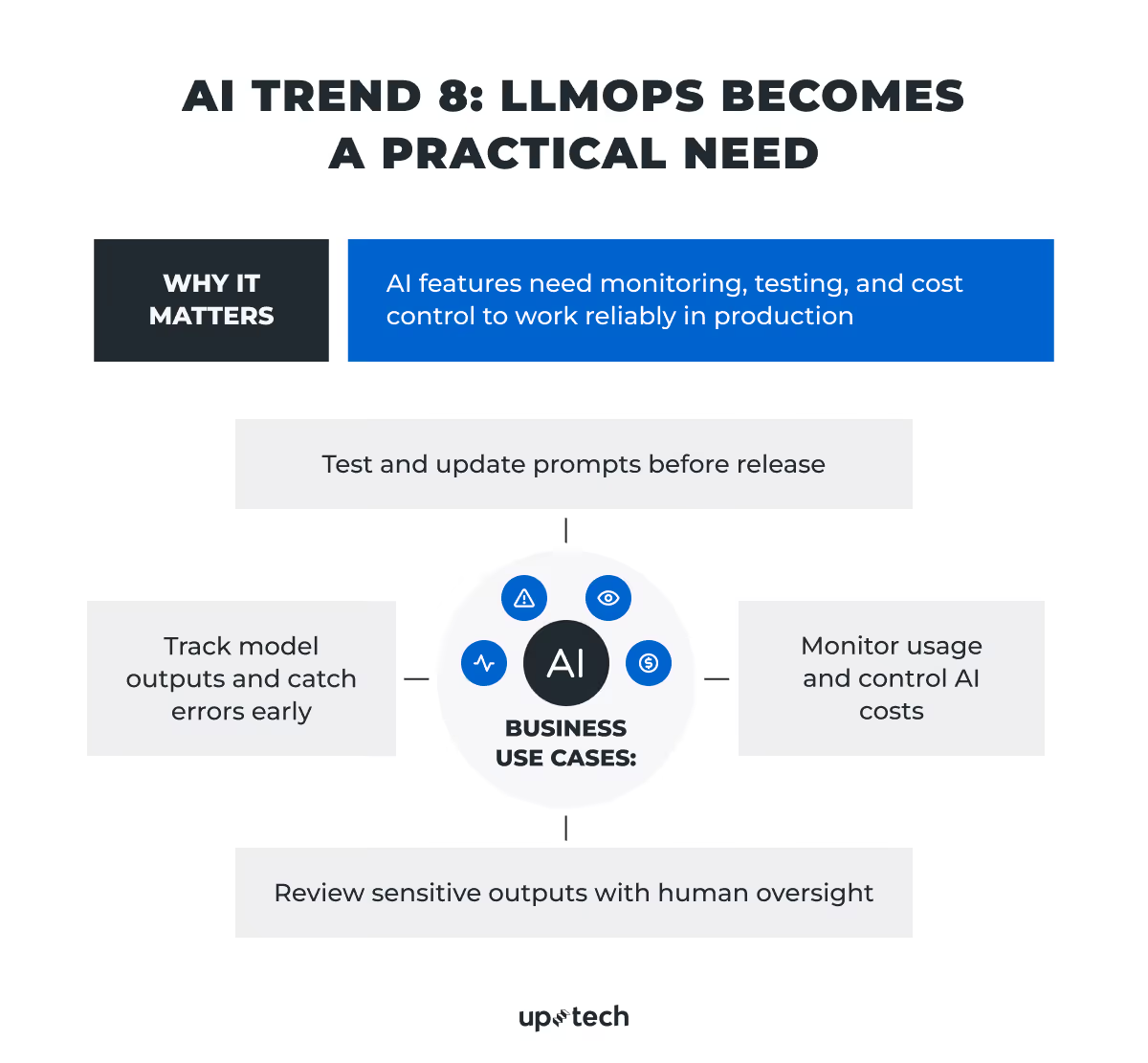
As more teams ship AI features, a new problem shows up. To build something that works once is not enough. It has to keep working.
This is where LLMOps services come in handy.
LLMOps stands for Large Language Model Operations. It is about how you run AI in production. Not the model itself, but everything around it, including things like monitoring, testing, updates, and cost control.
A lot of data science teams learned this the hard way. A feature works in testing, then breaks with real users. Outputs change. Costs grow faster than expected. Prompts stop working the same way after a few updates.
So, as ML engineers, we started treating AI systems more like regular software.
We log outputs and check what the model actually says in real use. We test prompts before pushing changes. We track how much each feature costs to run. Some add human checks where mistakes are expensive.
There are already tools for this. LangSmith, Weights & Biases, Azure AI Studio, to name a few. They help track experiments, compare results, and see how models behave over time.
Another change is how prompts are handled. They aren’t kept in random docs anymore. Prompts are stored, versioned, and reviewed like code.
For businesses, this changes the approach.
AI is not a one-off feature you ship and forget. It needs support. It needs visibility. It needs control.
In 2026, this becomes normal. Teams that set this up early avoid unstable behavior and unexpected costs later.
Global Momentum, Local Challenges, and Other AI Future Trends
Public and government engagement with AI is getting bigger. According to Stanford’s 2025 AI Index Report, in countries like China (83%), Indonesia (80%), and Thailand (77%), most people already see AI products and services as more beneficial than harmful. While skepticism remains in places like the U.S. (39%) and Canada (40%), sentiment is changing. Optimism has grown significantly across Germany, France, Great Britain, and other countries since 2022, and this trend continues into 2026.
Governments have their responses, too. In early 2026, lawmakers across the US introduced more than 1,500 AI-related bills across 45 states. These cover a wide range of topics, from generative AI and deepfakes to algorithmic accountability and data use.
Globally, AI topics are becoming a part of active policy agendas, too. The EU’s AI Act, adopted in 2024, set one of the first comprehensive regulatory frameworks, and other countries are following with their own rules and guidelines.
By the way, we have a complete guide on EU AI Act readiness for businesses that covers everything you need to stay compliant with this regulation.
The direction is clear: AI is moving from hype to infrastructure.
But challenges remain. Despite rapid gains, current models still struggle with complex reasoning in high-stakes scenarios. It’s impressive that AI can solve Olympiad-level math, but at the same time, it falls short on structured logic tasks, as PlanBench shows there’s more work to do. Precision, explainability, and alignment will remain active areas of research and development in 2026.
At Uptech, we’re excited about what AI can do, and even more about what’s next. From smarter assistants to secure, domain-specific systems, we’re helping businesses of different sizes and niches move forward with confidence.
And we see this shift in real projects, not just in reports.
For a private diagnostic clinic in the US, we built a HIPAA-compliant AI pipeline that processes millions of medical documents. We used OCR and self-hosted LLMs to keep sensitive data secure. The system reduced processing time by 34% and doubled monthly patient capacity.
In fintech, we worked with Presidio Investors to automate deal analysis and investment data processing. We combined OCR, LLMs, and cloud workflows on Azure and AWS, and integrated the solution into their CRM. This removed a large share of manual work and allowed analysts to focus on higher-value tasks.